VoiceAnalysis
An audio filler sound detection and removal tool built for voice-over, podcast, and audio post-production workflows. Upload audio, detect unwanted sounds using three independent algorithms, review detections on an interactive waveform, and export clean audio.
Blog Updates
1 / 4
Github Repository: https://github.com/ivan-schutt/voiceanalysis-showcase
The Idea
As someone working in audio post-production, I constantly deal with filler sounds, breaths, and unwanted noises in voice recordings. I wanted a tool that could automatically detect these sounds using multiple approaches and let me review and remove them from a single interface — without switching between different software.
The core concept: independent detection algorithms feed into a unified review interface, where detections appear as labeled regions on an interactive waveform. Select what to remove, and export clean audio.
---
Acoustic Fingerprinting
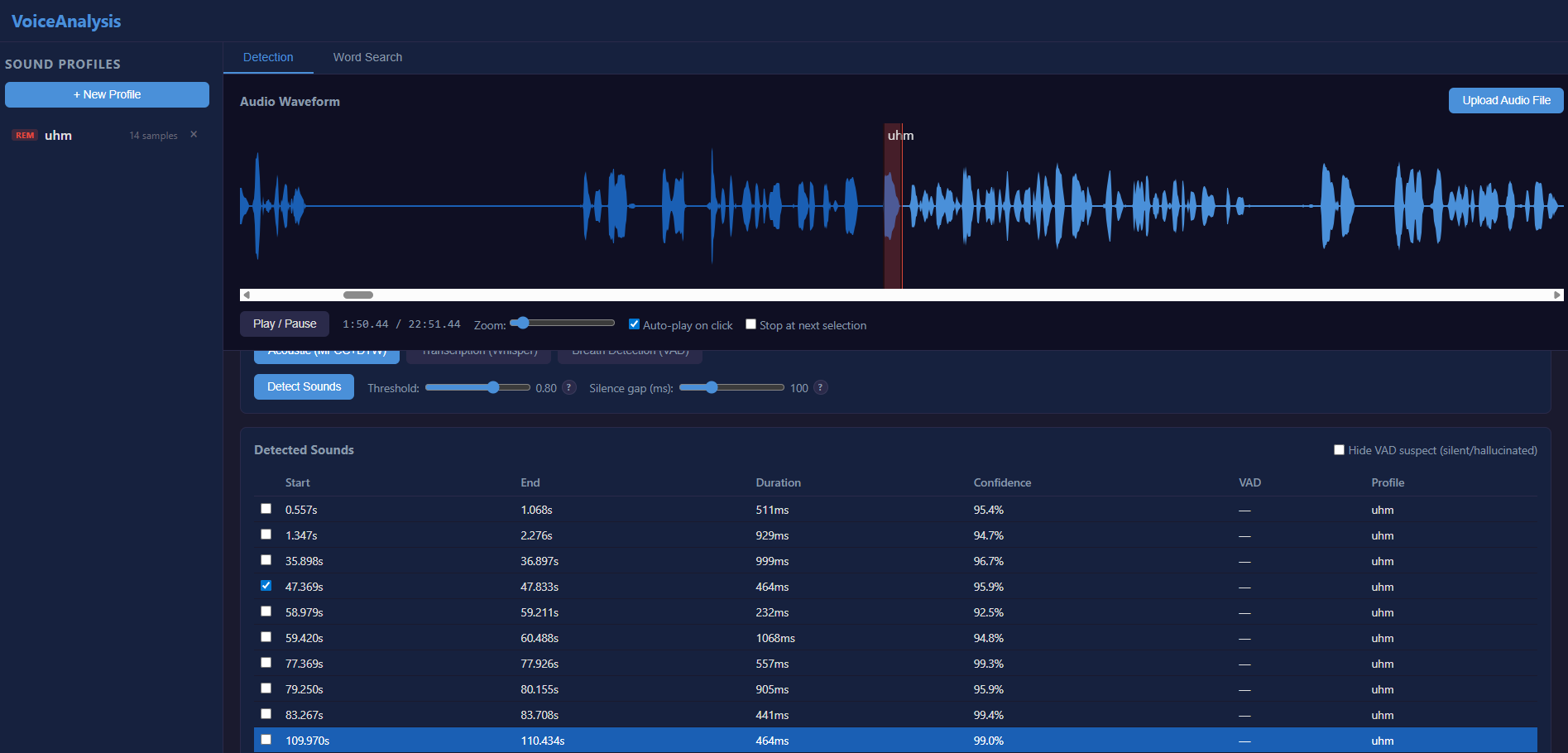
The first detection mode uses acoustic fingerprinting. You build a reference database of sounds you want to detect , the system extracts 39-dimensional MFCC features and uses Dynamic Time Warping to find similar sounds in your audio, regardless of speed or pitch variations.
The idea is to capture profiles from clients and use them to detect repeated sounds across different projects.
Detections appear as labeled regions on the waveform with confidence scores. Click any detection to jump to it and hear the audio. Drag region boundaries to fine-tune start/end points.
---
Whisper Transcription
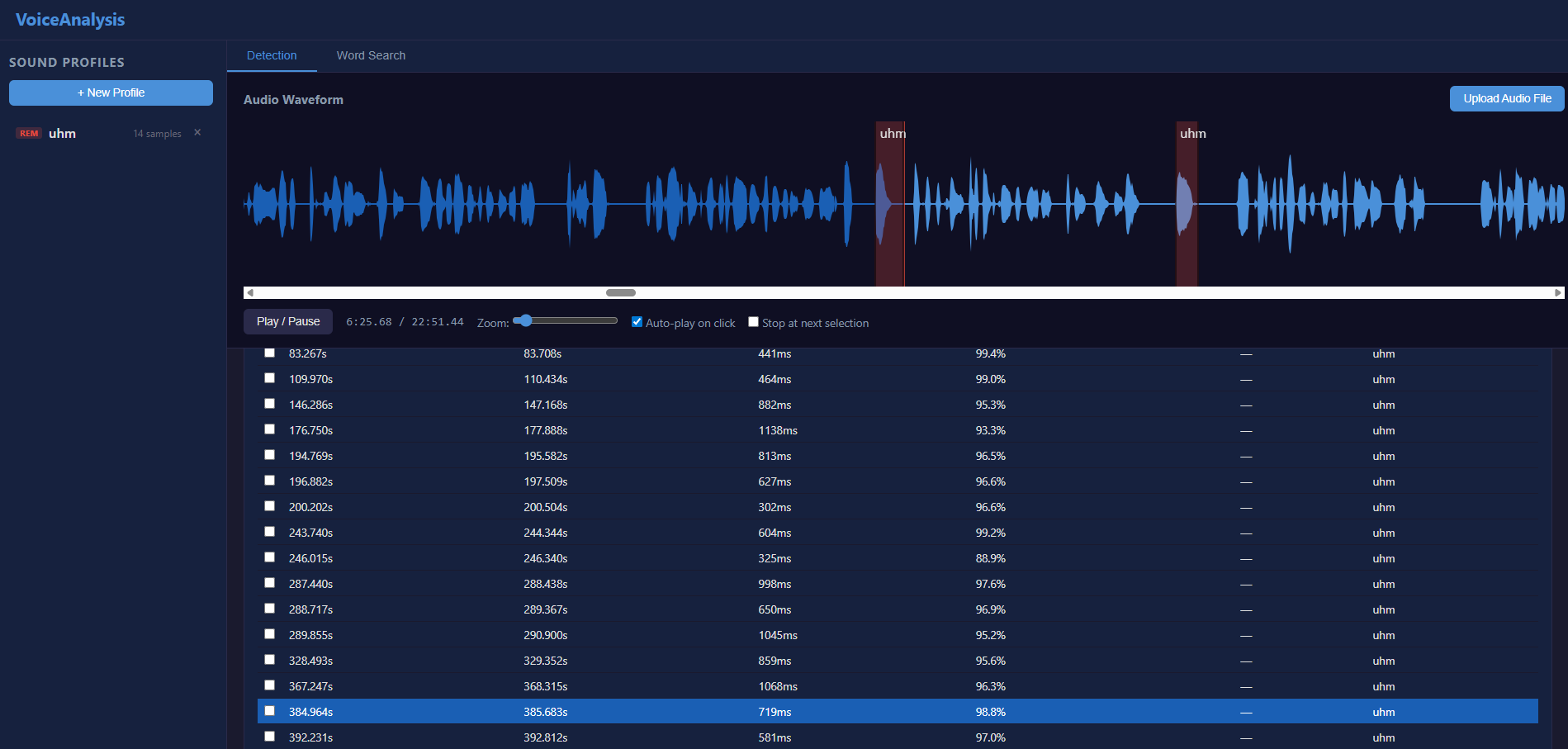
The second mode uses OpenAI's Whisper model to transcribe audio and find spoken filler words by keyword matching.
---
Breath Detection
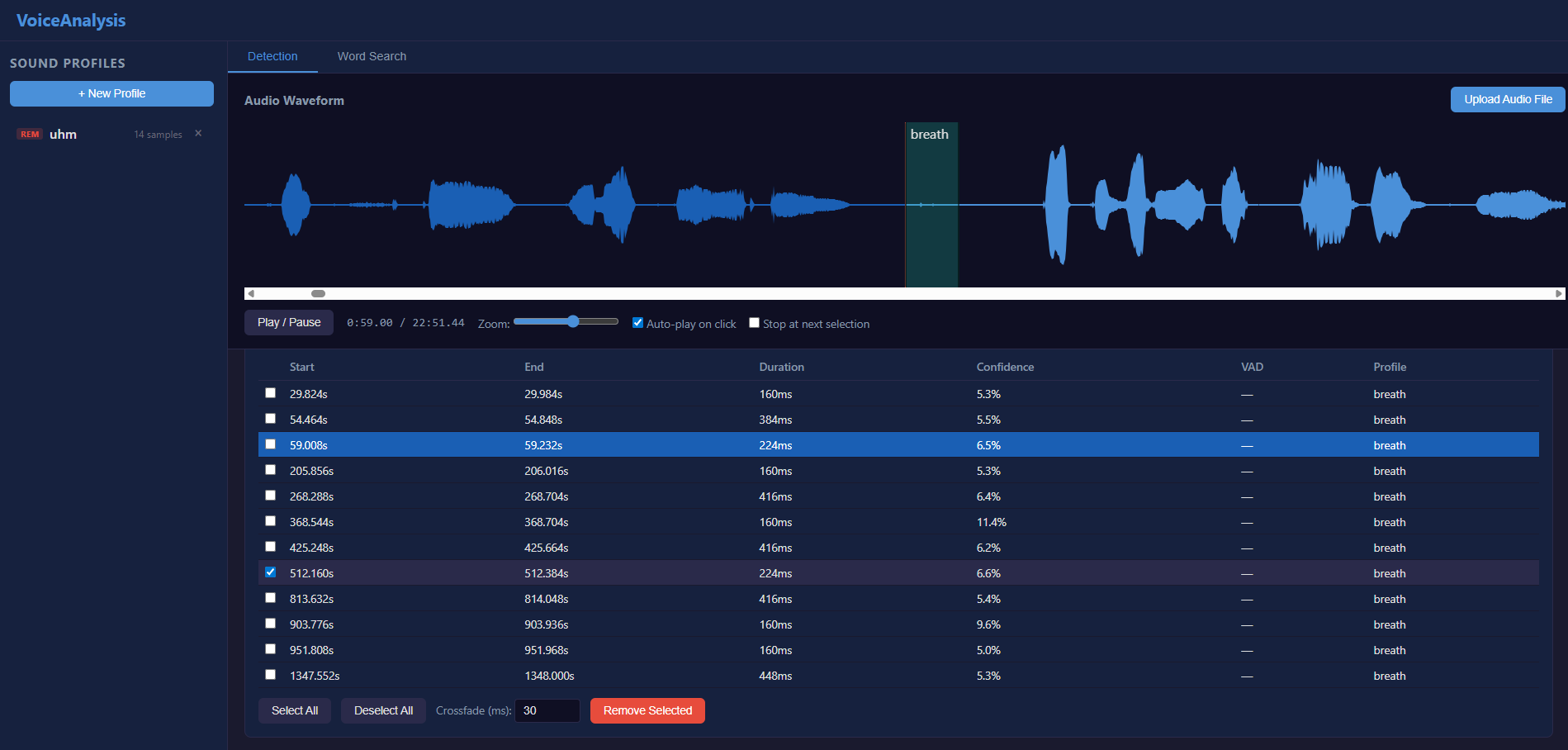
The third mode detects breath sounds in non-speech regions using Silero VAD inversion combined with spectral flatness analysis.
---
Word Search
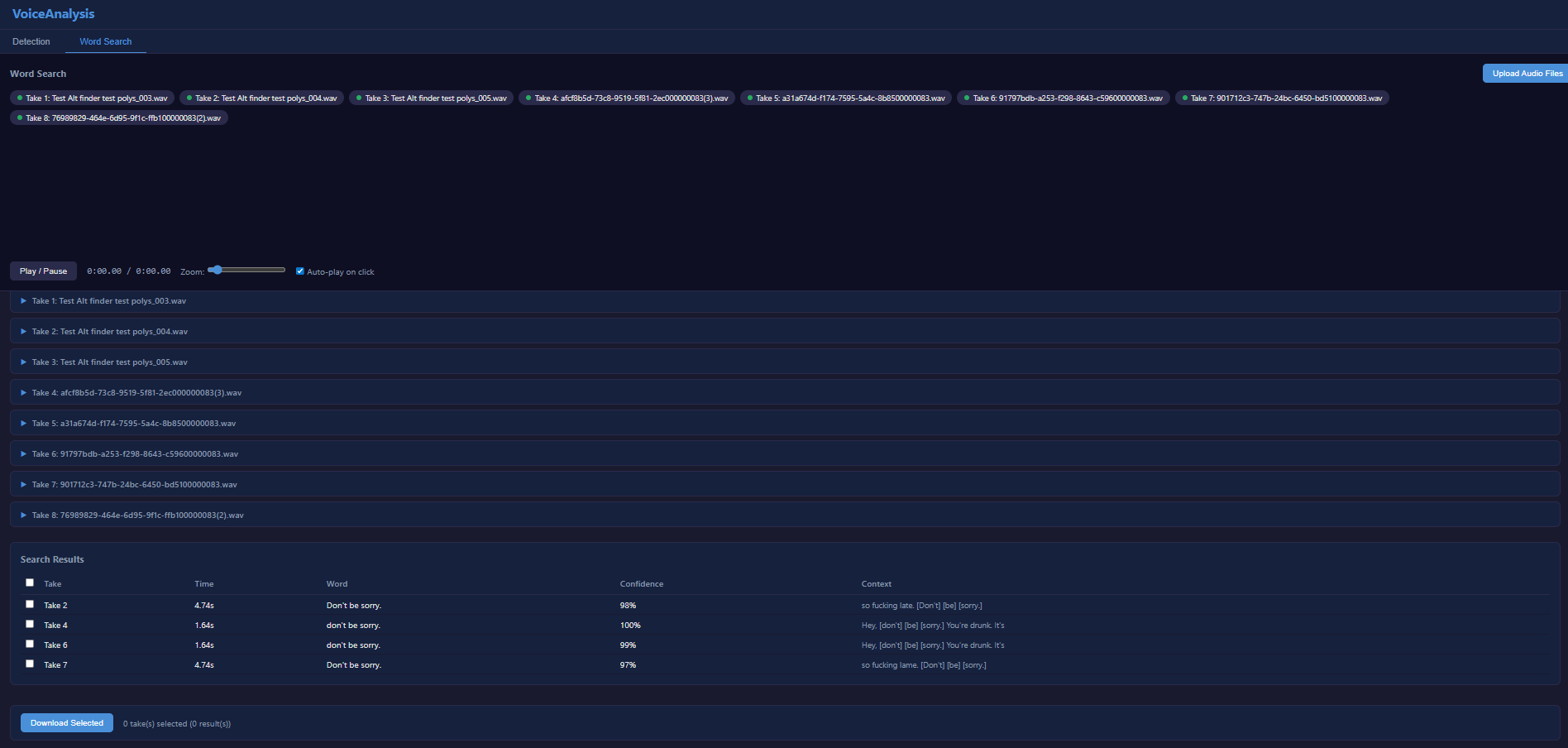
Beyond detection, the tool includes a word search feature. Upload multiple audio takes, transcribe them all via Whisper, then search for specific words or phrases across every take.
---
Audio Editing
The editor silences segments in place rather than cutting them , this preserves total audio duration and avoids sync issues in multi-track workflows. Configurable crossfade transitions ensure smooth edits.